Web servers and the preview
Django, Flask, FastAPI and Starlette on the device, Open site, migrations and the preview.
Start a server
Start a server the way you would on a computer, from the terminal or with a chip: python manage.py runserver for Django, flask --app hello run for Flask, uvicorn main:app for FastAPI and Starlette. Running a file that serves (for example with http.server) works too. The templates Django notes, Flask app, FastAPI, ASGI API and React and FastAPI are ready to serve.
Running and Open site
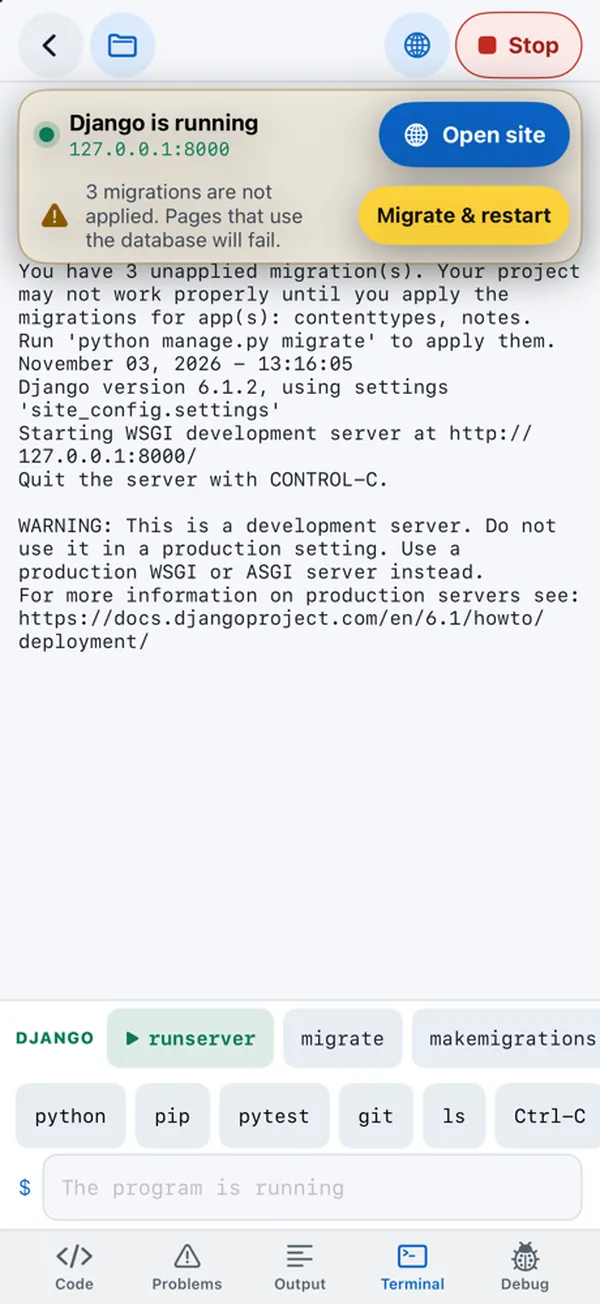
Pythilo notices when your program starts listening on a port, whatever the framework, and shows a banner: Django is running (or Flask, Uvicorn, or Site is running) with the address and an Open site button. The banner steps aside while you type. A globe button for the preview appears in the toolbar, and Site in the file drawer.
The web preview
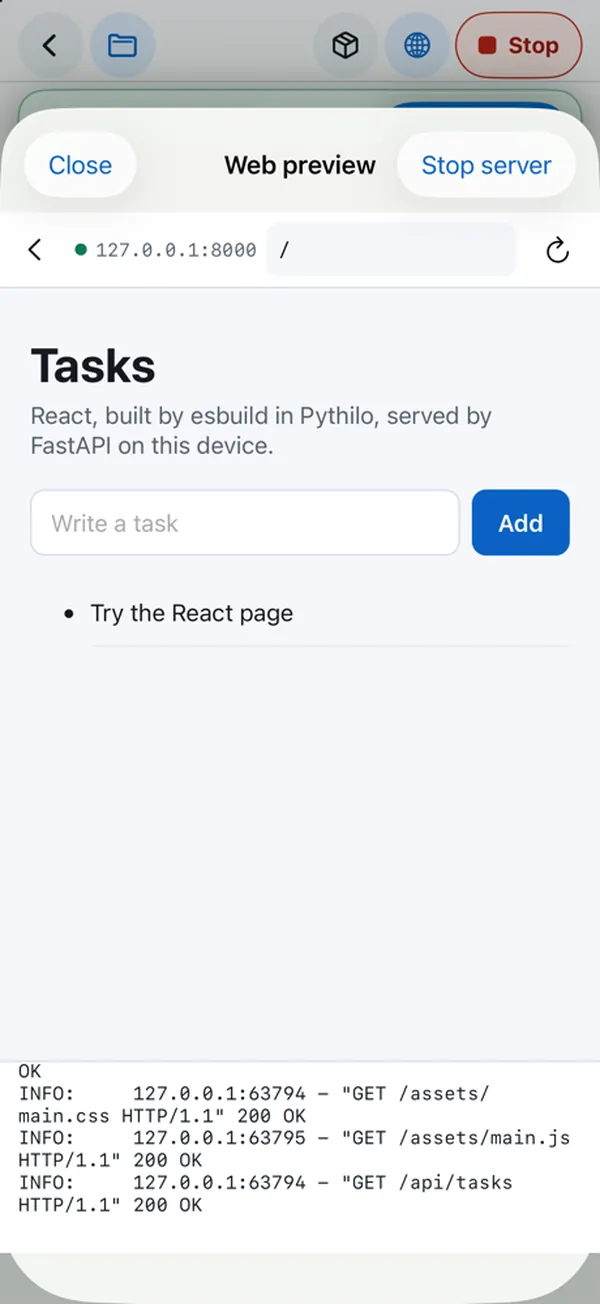
Open site shows the site in a Web preview sheet, with the server's latest output below it. The address bar has back, the server's address, an editable path (type /admin/ or /docs and go) and reload. Stop server stops it; Close hides the preview and leaves the server running. On an iPad in landscape, the preview appears as a column beside the editor while the server runs.
The preview is a normal web view. Pages that load scripts from the internet, such as FastAPI's /docs, which loads Swagger UI from a CDN, need a network connection for those parts.
Django migrations
When runserver reports unapplied migrations, the banner adds N migrations are not applied. Pages that use the database will fail. and a Migrate & restart button, which runs python manage.py migrate and starts the server again. The migrate and makemigrations chips are always there too.
After a change
Autoreloaders start a second process, which iOS does not allow, so servers do not restart on their own when you save. Stop and run again. If you type a terminal command while your server runs, Pythilo stops the server, runs the command, and starts the server again.
Framework notes
- Django: SQLite databases, migrations, the admin,
createsuperuser, andmanage.py testall work.dbshelldoes not, because it starts an external program. - Flask: runs without the reloader and without threads.
- FastAPI: Pydantic validation, async routes, WebSockets and
TestClientwork; the template's tests pass on the device. - Uvicorn: one worker, on
127.0.0.1:8000unless you pass--hostor--port.