Packages, PyTorch and Core ML
pip per project, everything bundled, npm with esbuild, PyTorch and pythilo.coreml.
Bundled with the app
These ship inside Pythilo, compiled for iOS where they need to be, and work offline in every project:
| Area | Packages |
|---|---|
| Web | Django, Flask, FastAPI, Pydantic, Starlette, Uvicorn, Werkzeug, Jinja2 |
| Science and ML | NumPy, PyTorch, SymPy, NetworkX |
| HTTP | Requests, httpx |
| Tools | pytest, pip, Jedi, pyflakes, Pygments |
Their own dependencies come along too. pip list shows every bundled package and its version, and Open-source licences lists them all with their licences.
pip
pip install name downloads wheels from PyPI and installs them into the project's .pythilo/site-packages folder, which comes first on the path when the project runs. Every project has its own, so two projects can use different versions, and nothing is installed for the whole app.
- pip installs pure-Python packages. A package that needs compiled code only works if Pythilo bundles it; iOS runs only code signed into the app. When an install fails, nothing is changed and pip's full message is in the terminal.
pip install -r requirements.txtworks the same way.pip uninstall,pip list(project packages marked project, the rest bundled;-ofor outdated ones),pip show(-flists files),pip freezeandpip checkwork as usual.pip downloadfetches wheels without installing them, andpip index versions namelists the versions on PyPI.- Options that would install somewhere else, such as
--user,--target,--prefixor-e, are refused: packages always go to the project.
The Packages screen
Open Packages from the file drawer or the ⋯ menu. Type a Package name and tap Install. In this project lists what you installed, each with a button to remove it. Bundled with Pythilo, work offline lists the main bundled packages.
PyTorch
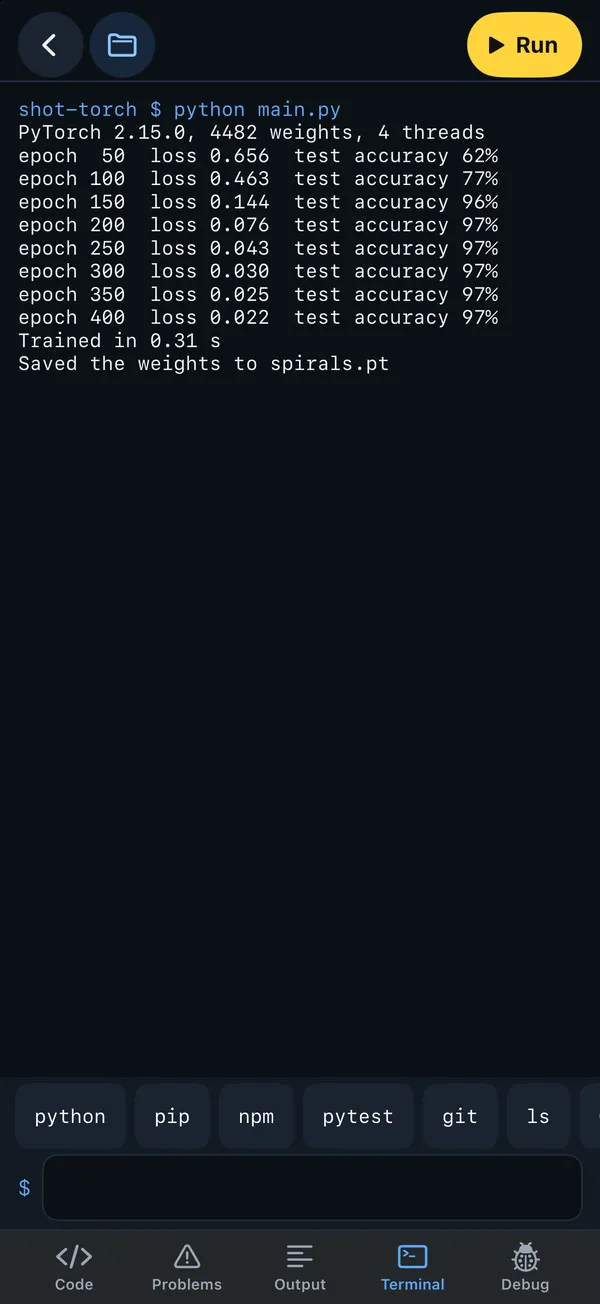
PyTorch 2.15 is built for iOS from source by torch-ios: the full library with autograd and the Python API, running on the CPU with matrix maths through Apple's Accelerate. Training, torch.func, torch.jit, DataLoader, saving and loading all work. The PyTorch template trains a small network on the device, and the machine learning course uses it throughout.
There is no MPS (GPU) backend, no torch.compile and no DataLoader workers: keep num_workers=0.
Core ML and the Neural Engine
pythilo.coreml runs Core ML models (.mlpackage or .mlmodel) from Python, with NumPy arrays in and out:
from pythilo import coreml

print(coreml.devices())
model = coreml.load("model.mlpackage", compute="ane")   # cpu, gpu, ane or all
outputs = model.predict({"input": array})

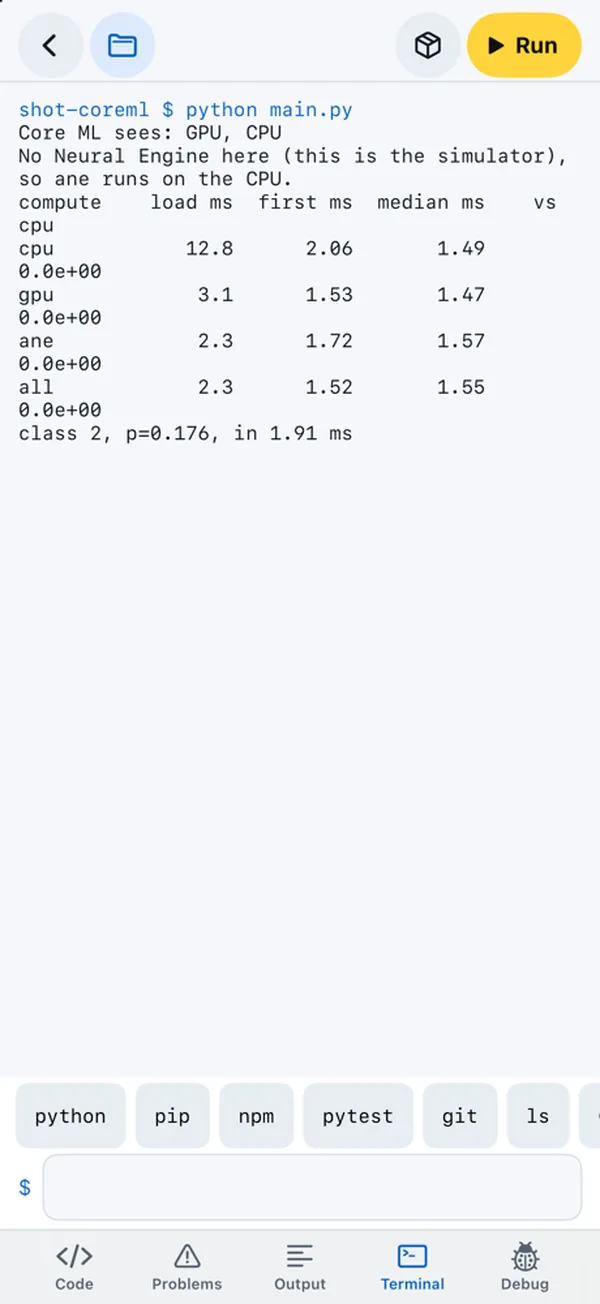
rows = coreml.benchmark()          # the built-in sample model on every compute unit
print(coreml.report(rows))
benchmark loads the model on each compute unit, times the first and the median prediction, and checks the results agree with the CPU. The Neural Engine template shows it end to end. The simulator has no Neural Engine, so its numbers only mean something on a real device.
npm and esbuild
There is no Node on iOS, but Pythilo has its own npm for installing and esbuild for building:
npm install(alsoi,add,ci) resolves versions from the npm registry, checks each package's integrity hash, writesnode_modulesandpackage-lock.json.-Dsaves a dev dependency.npm uninstall,npm lsandnpm initwork too.- Packages install from the registry only (no git or file sources), and their install scripts are not run.
npm run build,npm run devandnpm startwork when the script is an esbuild command, such asesbuild src/main.jsx --bundle --outdir=dist. esbuild runs inside the app. With--watch, it rebuilds every time you save a JavaScript, TypeScript, CSS or JSON file.- Scripts that need Node itself, such as Vite or webpack, say so.
The React and FastAPI template puts it together: npm install, npm run build, then uvicorn main:app serves the built site and its API.