Courses, labs and interview practice
Lessons, checks, hints, Debug in a project, 22 labs and timed tasks.
The path
The Learn tab starts with a card to Start lesson or Continue lesson, then Your path: 17 courses and 236 lessons in order, each with a ring that fills as you finish lessons. Below them, Practice holds the interview tasks.
A course screen shows how many lessons it has, the time they take, how many you have done, and a timeline of lessons with their length, parts and number of checks. The next one is marked Up next.
A lesson
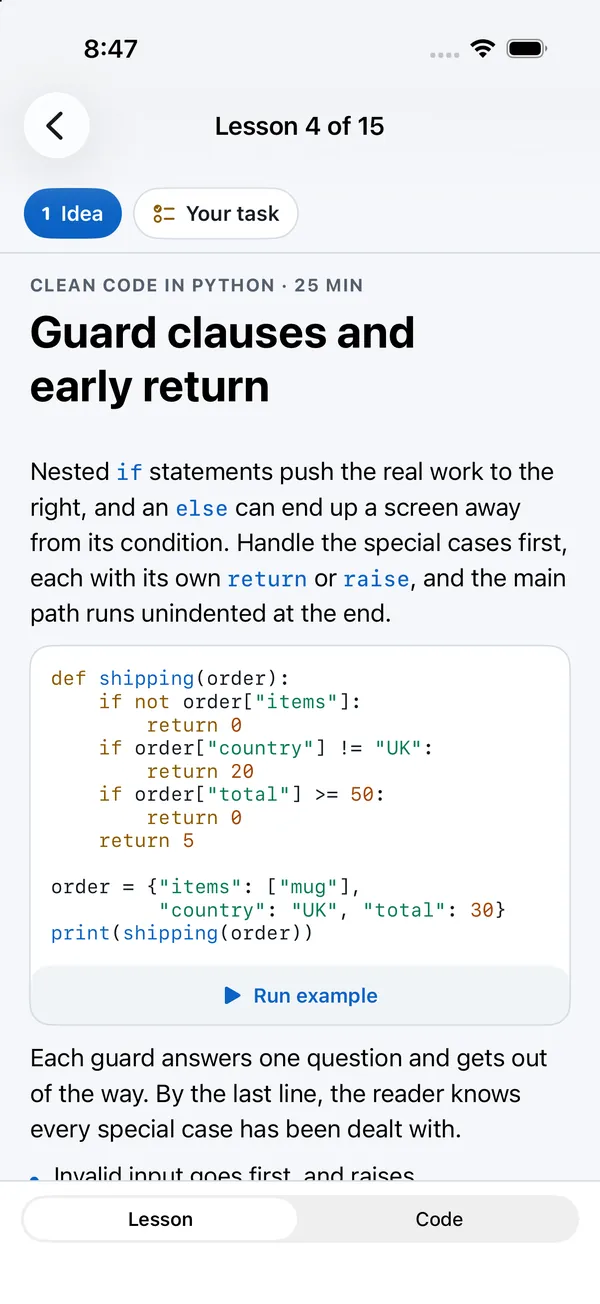
A lesson is split into short parts. Chips at the top jump between them: the first is Idea, the last is Your task. Code in the text has Run example, which runs it on the device and shows the output in place.
- On an iPhone, Lesson and Code at the bottom switch between reading and writing, each on the whole screen. The task stays at the top of the code, folded or open.
- On an iPad, reading and code sit side by side.
The code view has your solution.py, with long lines wrapped, and three buttons: the lightbulb for hints, ▶ to run your code, and Check.
Checks
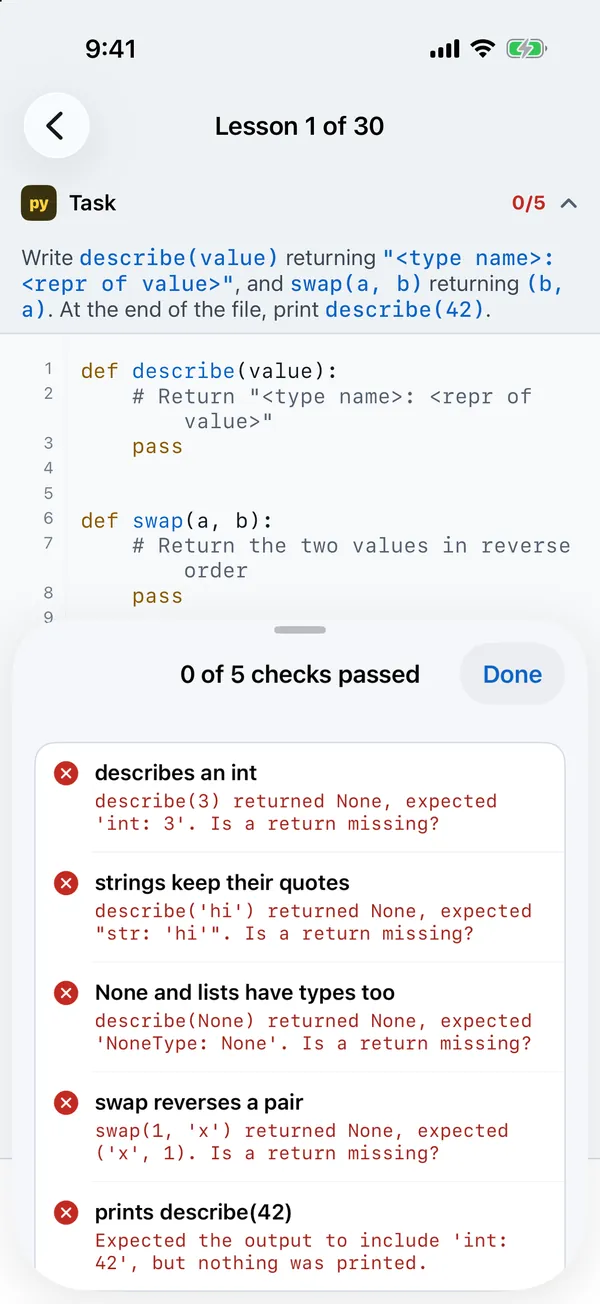
Check runs your code on the device against the lesson's checks and shows a sheet: N of M checks passed, each with ✓ or ✗. A failed check says what came back and what was expected, for example describe(3) returned None, expected 'int: 3'. Is a return missing?, and the sheet shows what your code printed. When everything passes you get Why this works, a short explanation, and Next to the following lesson.
Hints and the solution
The lightbulb shows the lesson's hints one at a time (Hint 1 of 3…). After the last hint it offers Show the solution.
Debug in a project
From the check sheet, Debug in a project (or Keep as a project once it passes) turns the lesson into a normal project with solution.py, a test_solution.py holding each check as a test, and a README. It opens in the workspace, where you can set breakpoints, step through, and run pytest.
Progress
A lesson is done when every check passes. Progress and your code for each lesson are kept on the device, so you can leave a lesson and come back to it. Nothing is sent anywhere.
Interview practice
20 tasks, marked Easy, Medium or Hard. A task opens straight in the code view with a countdown timer in the toolbar, set to the task's time. Hints work as in lessons, and Test runs real tests against your solution.
Labs
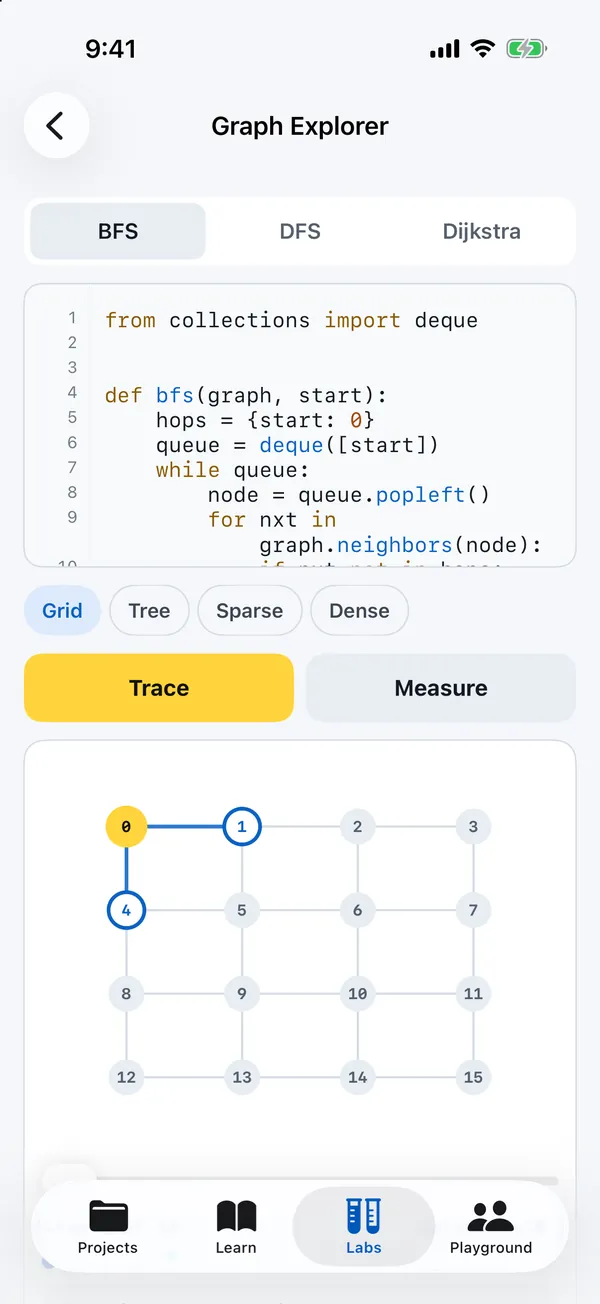
The Labs tab in the next build has 32 labs in four sections. Write the Python yourself and choose Trace to run it and record what changes. The step player lets you play, pause, go back, or jump to a step while the editor highlights the line that ran.
Ten labs also run here on the website, with an editor, checks and step-by-step replay. Open the browser labs.
Basics
| Lab | What you explore |
|---|---|
| Binary Search | Watch lo, hi and mid close in on the target. |
| Two Pointers & Sliding Window | Grow and shrink a window instead of starting over. |
| Stacks & Queues | Match brackets with a stack and pass a potato with a queue. |
| Recursion Tree | Follow every call, the call stack and each returned value. |
| Prefix Sums | Build cumulative totals, then answer ranges with two lookups |
Data structures
| Lab | What you explore |
|---|---|
| Linked Lists | Reverse the arrows or find the middle with two pointers. |
| Search & Hashing | Build a hash table and see buckets fill and keys collide. |
| Binary Search Trees | Insert and delete nodes, smaller left and larger right. |
| Heaps & Priority Queues | Sift up and down, as a tree and as a list. |
| Tries | Store words letter by letter, then autocomplete a prefix. |
| Union-Find | Merge sets and watch path compression flatten them. |
| LRU Cache | Keep recent keys and evict the one unused longest. |
| Monotonic Stack | Resolve waiting days as a warmer temperature arrives |
Algorithms
| Lab | What you explore |
|---|---|
| Sorting Bench | Trace your sort read by read, then see how it scales. |
| Graph Explorer | Follow BFS, DFS or Dijkstra across grids, trees and random graphs. |
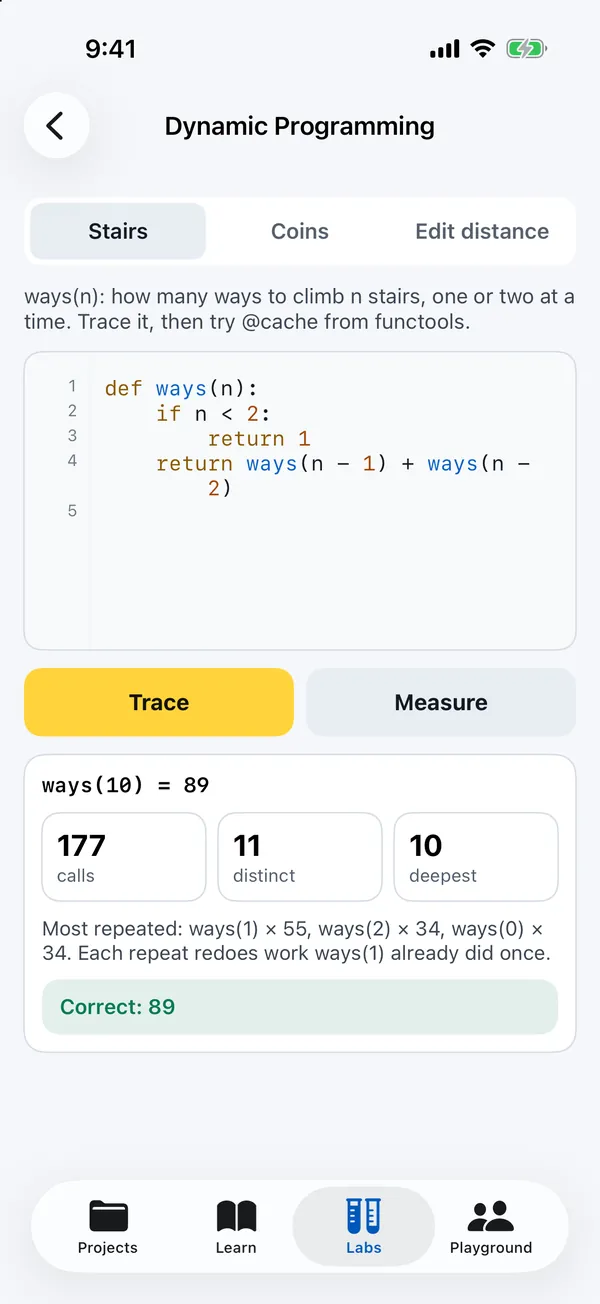
| Dynamic Programming | Count repeated calls, add a cache and fill a table cell by cell. |
| Backtracking | Place N queens, reach a dead end, undo and try again. |
| String Matching | Slide a pattern through text with naive matching and KMP. |
| Flood Fill | Spread through a grid with a stack or queue and count islands. |
| Topological Sort | Release tasks as their final prerequisite is removed |
| 0/1 Knapsack | Fill a capacity table without taking an item twice |
| Bellman–Ford | Relax weighted edges and detect reachable negative cycles |
| Edit Distance Rows | Compare prefixes with insertion, deletion and substitution |
Machine learning
| Lab | What you explore |
|---|---|
| Gradient Descent | Roll downhill on a loss surface, with and without momentum. |
| Neurons | Train a perceptron, then a small network that learns XOR. |
| Genetic Algorithm | Evolve a phrase or a short tour through fitness, selection and mutation. |
| k-means Clustering | Assign points, move centres and repeat until still. |
| Q-learning | Teach an agent to navigate a maze from rewards. |
| Linear Regression | Move a fitted line by following the mean squared-error gradient |
| Logistic Regression | Turn a score into a probability and learn a binary boundary |
| Nearest Neighbours | Rank points by distance, then vote with explicit tie rules |
| Decision Stumps | Try thresholds and choose the lowest weighted Gini impurity |
How it scales
For labs with growing inputs, How it scales checks correctness and then times the code without the tracer. The chart compares input size with runtime and explains the observed growth. Results come from this device; they suggest a growth rate and do not prove Big O. Labs that follow a fixed training run instead show its learning steps.
Sorting Bench compares random, sorted, reversed and duplicate-heavy input. Graph Explorer accepts any valid DFS order. Search & Hashing counts comparisons made by the keys themselves, and Dynamic Programming shows repeated recursive calls and what a cache saves.